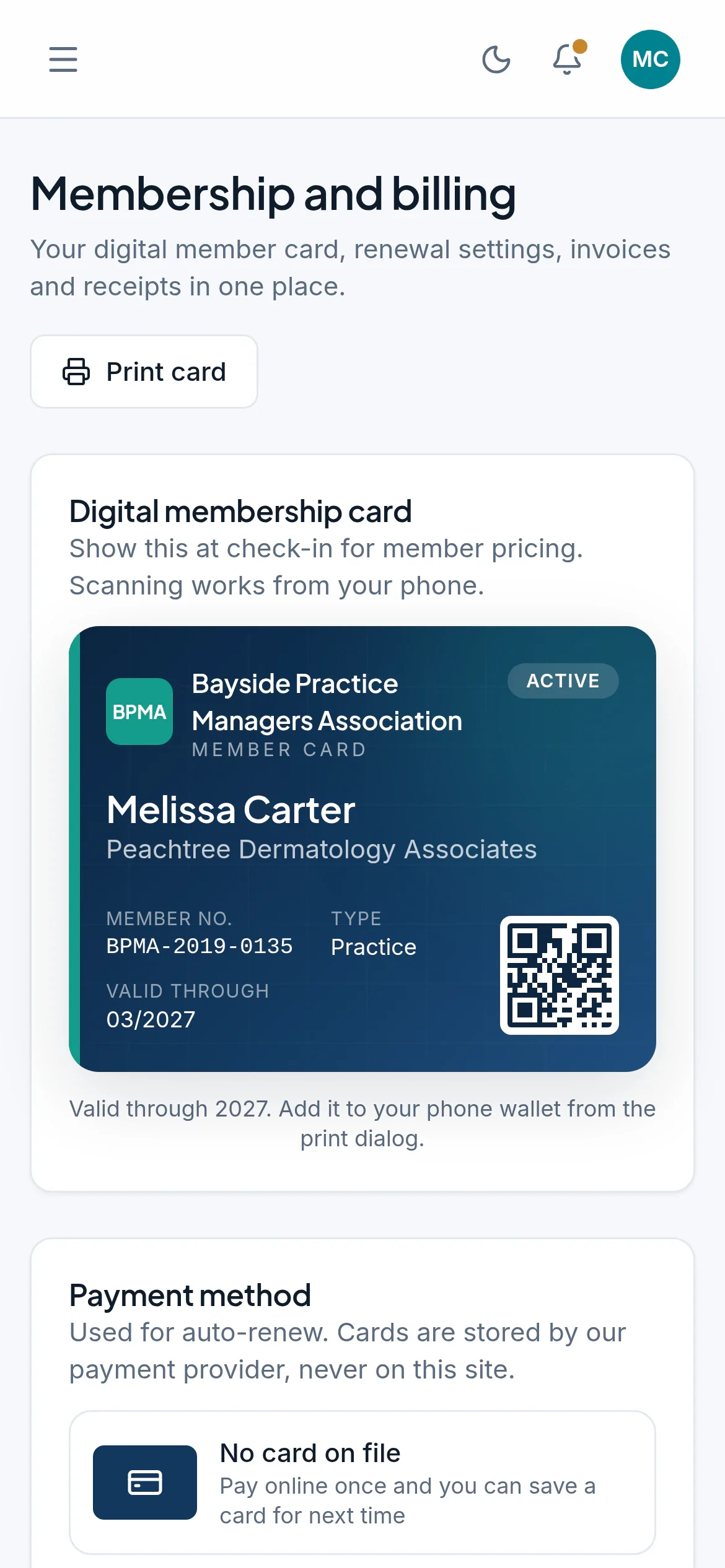
Members, dues and events, all in one place
MemberCove keeps applications, renewals, event tickets, email and CE credit on one record for each member. It's made for associations of practice managers.
Made for the way practice management associations run
Your members manage medical and dental practices. MemberCove handles membership types for managers, practices and industry partners, events that earn CE credit, and dues that renew every year.
- 1 database for each association, never shared with another
- 8 ready-made email designs, sent in your association's name
- 30 days of restore points for your data
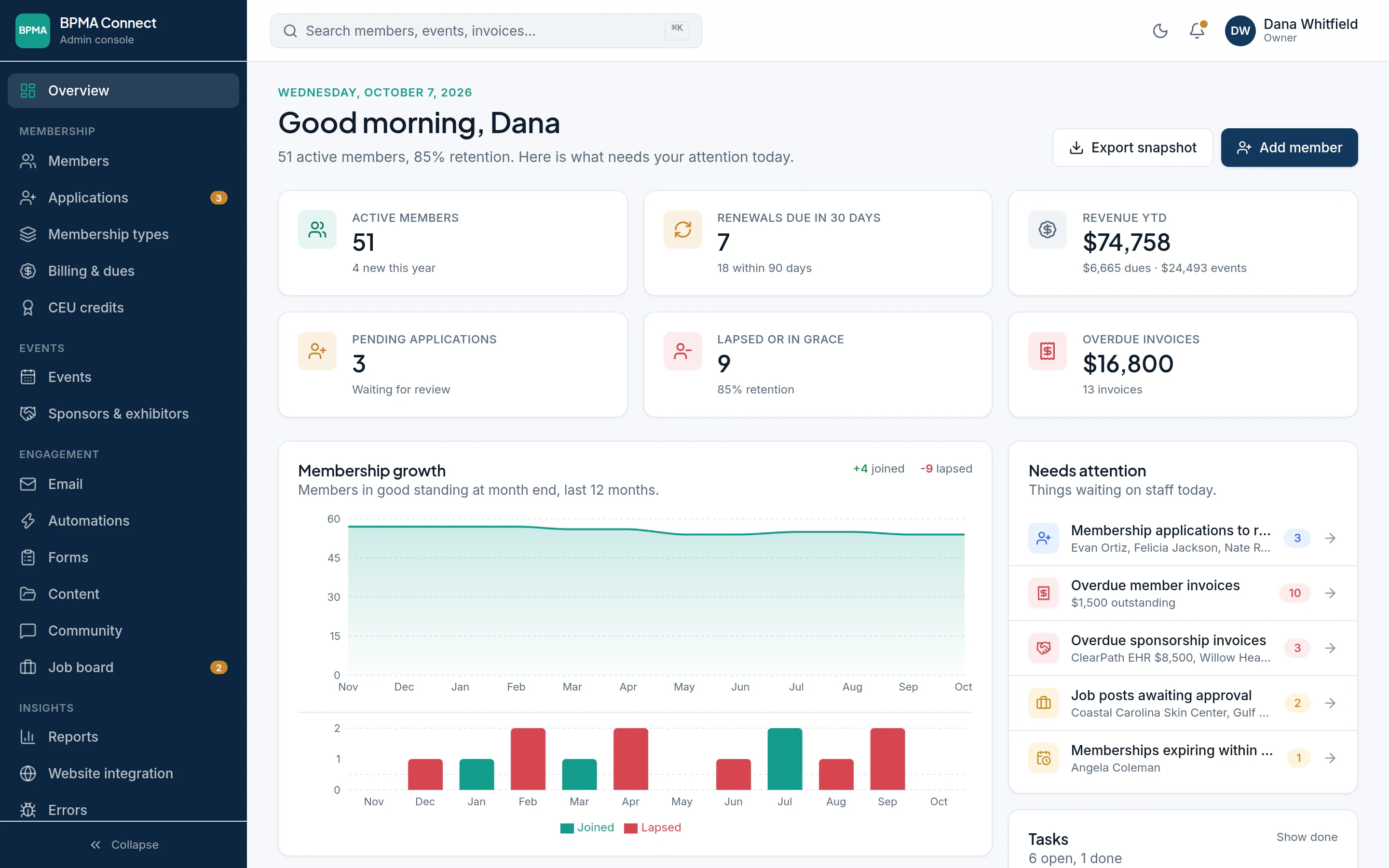
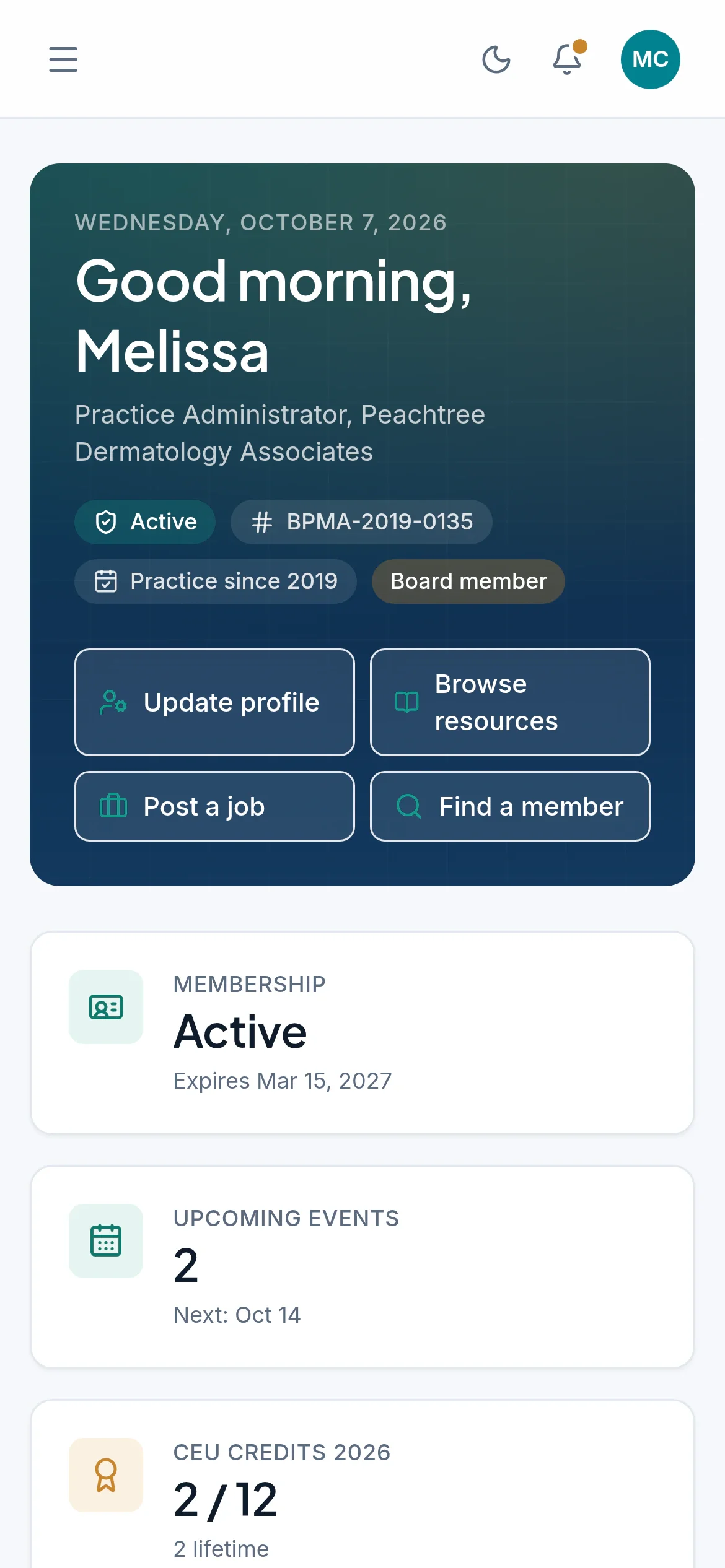
A console for your office and a portal for your members
Both work from the same records. A renewal paid on a phone shows up in billing straight away, and an event registration lands on the attendee list without anyone typing it in twice.
What MemberCove takes care of
All of it works from the same member records. Hover over a card, or tap it, for the details.
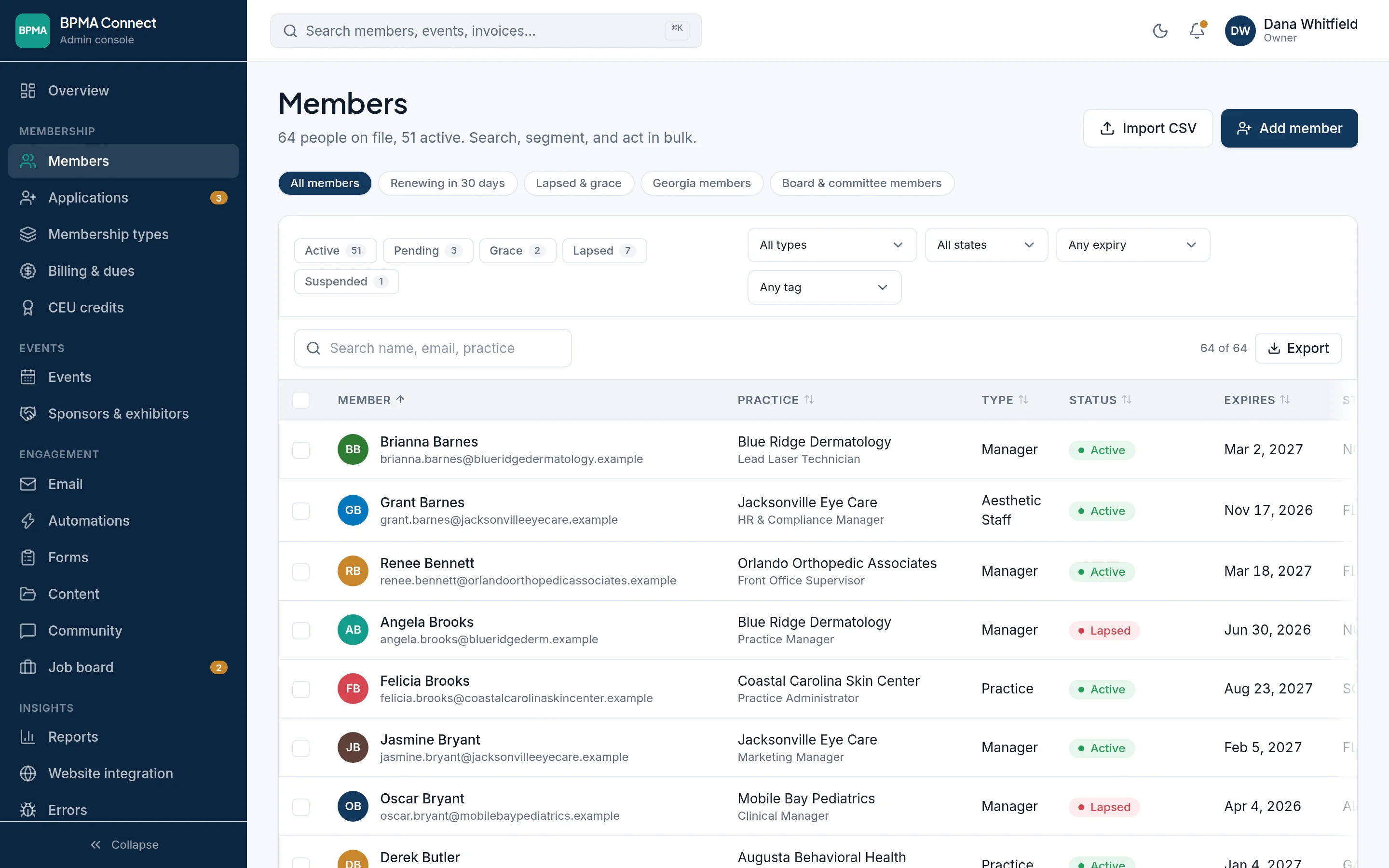
Members and dues
Applications, membership types, renewals, grace periods and invoices. Members pay by card or ACH into your own Stripe account.
Learn more: Members and duesEvents and tickets
Member and non-member pricing, early bird rates, promo codes and agendas. Tickets go into Apple Wallet and scan at the door.
Learn more: Events and ticketsCampaigns to any group of members, eight ready-made designs, renewal reminders that send themselves, and automations you set up for new members and event follow-up.
Learn more: EmailCommunity and jobs
A members-only discussion forum, committee workspaces, a resource library and a job board that staff approve.
Learn more: Community and jobsCE credit
Credits post when members check in at your events. Members log outside courses for staff to verify and print their own certificates.
Learn more: CE creditYour website
Show your events and join form on the site you already have, or build on the JSON API and webhooks.
Learn more: Your websiteA closer look at the busy times of year
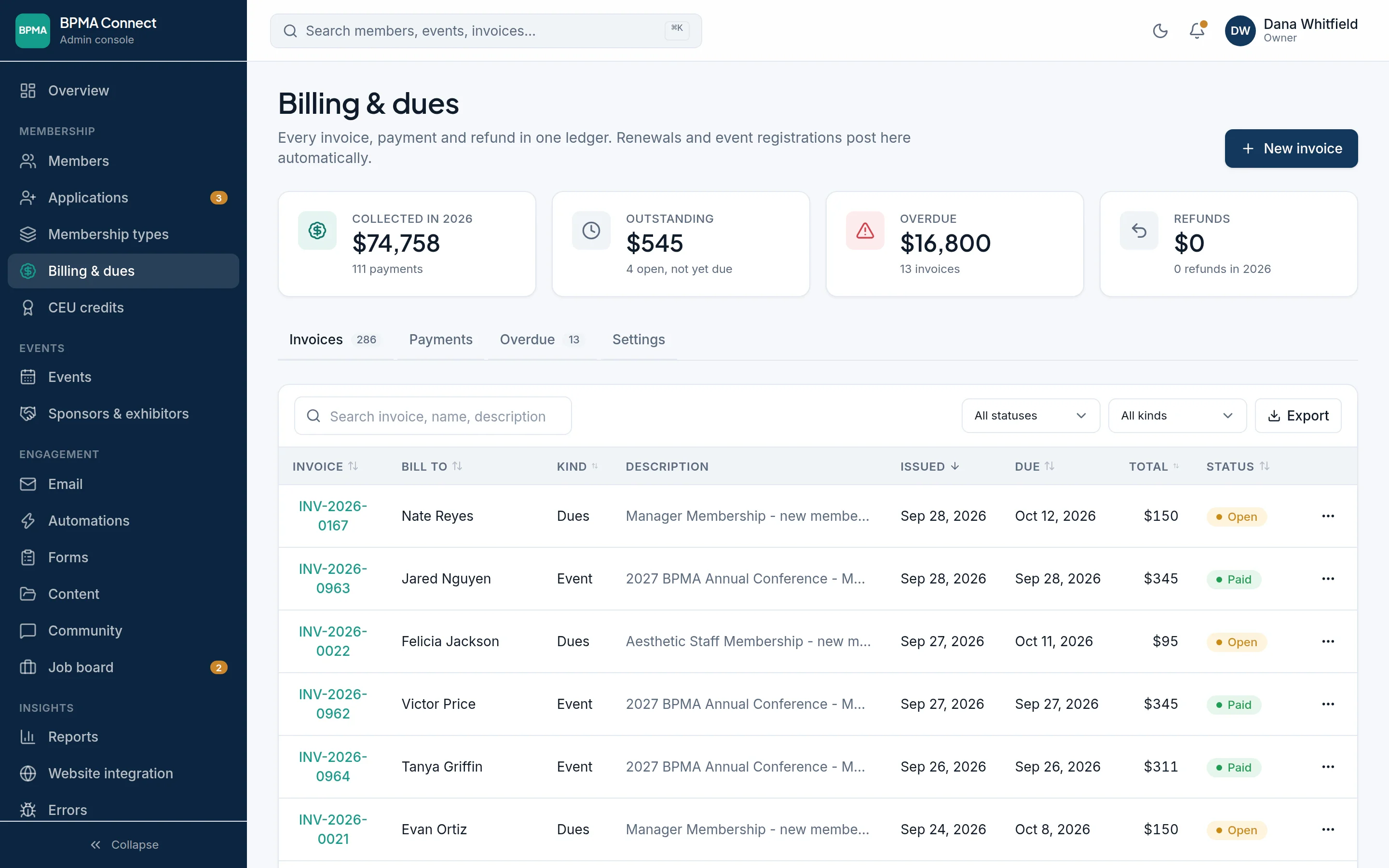
Renewal season, without the spreadsheet
Reminders go out before each membership expires, and members renew from the portal in about a minute. Auto-renew charges a saved card, and billing shows what's collected, what's open and what's overdue.
- Grace periods and lapse handling
- Card, ACH, check and cash in one ledger
- Invoices, refunds and receipts
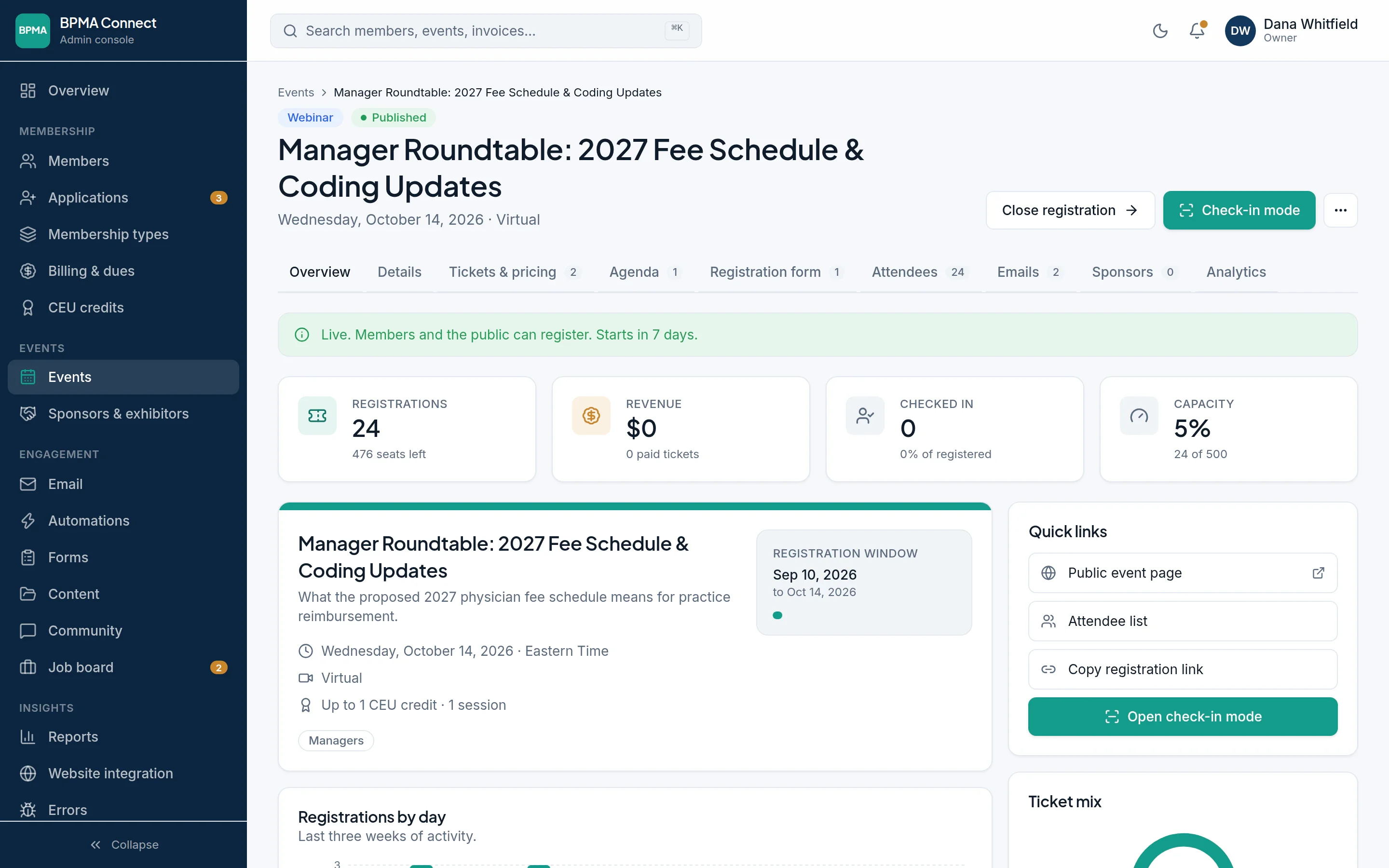
From the first registration to the last check-in
Set up tickets, the agenda and the registration form, then watch sign-ups come in by day. On the day, check-in mode scans tickets with the camera on a phone or tablet.
- Member pricing applied automatically
- Agenda, speakers and sponsors
- Attendee lists and badges
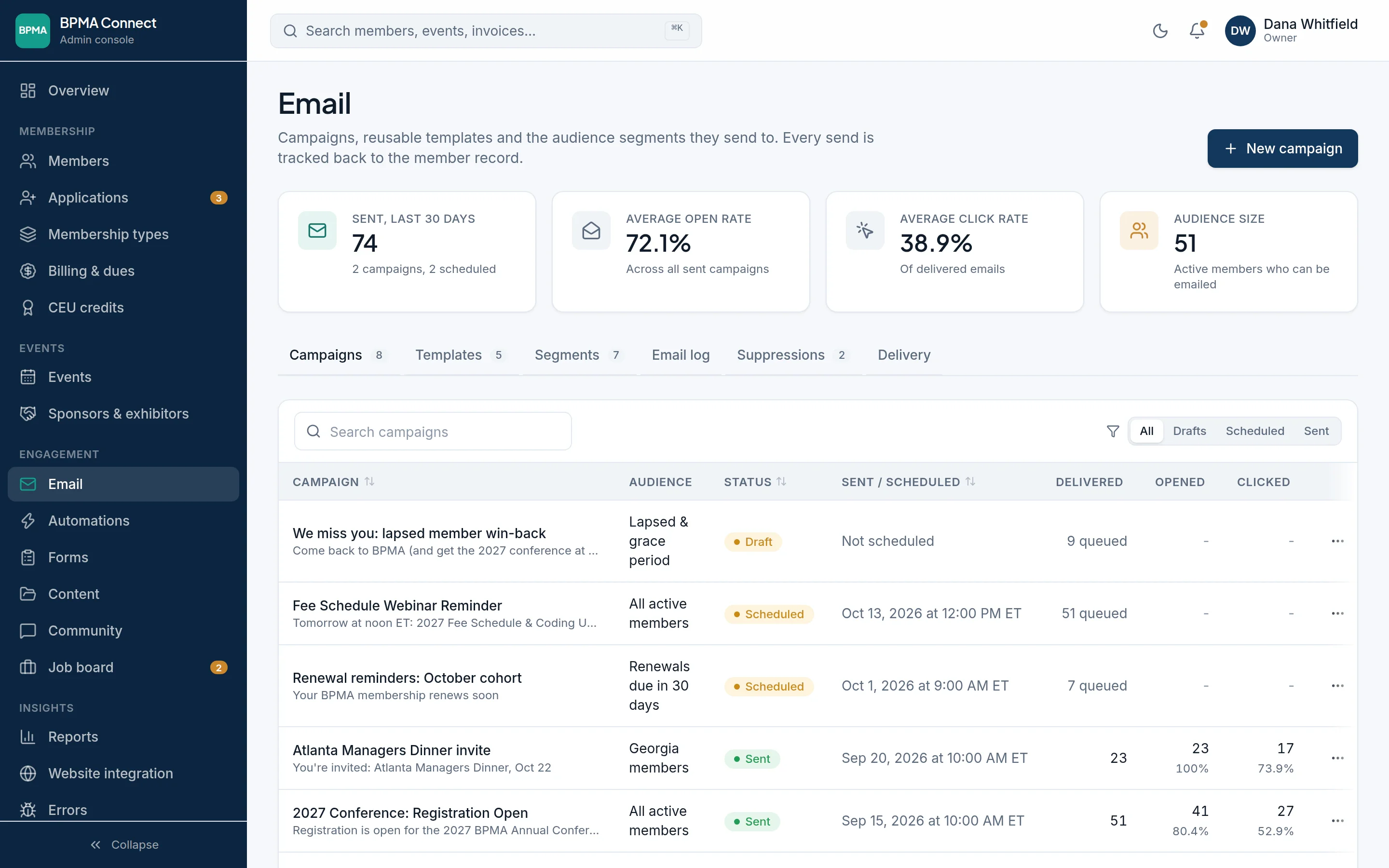
Email that knows who your members are
Send to groups like renewals due in 30 days or members in one state, with each person's name and dates filled in. Opens and clicks show up on every member's record.
- Scheduled sends and live preview
- Segments that update themselves
- Delivery, open and click rates
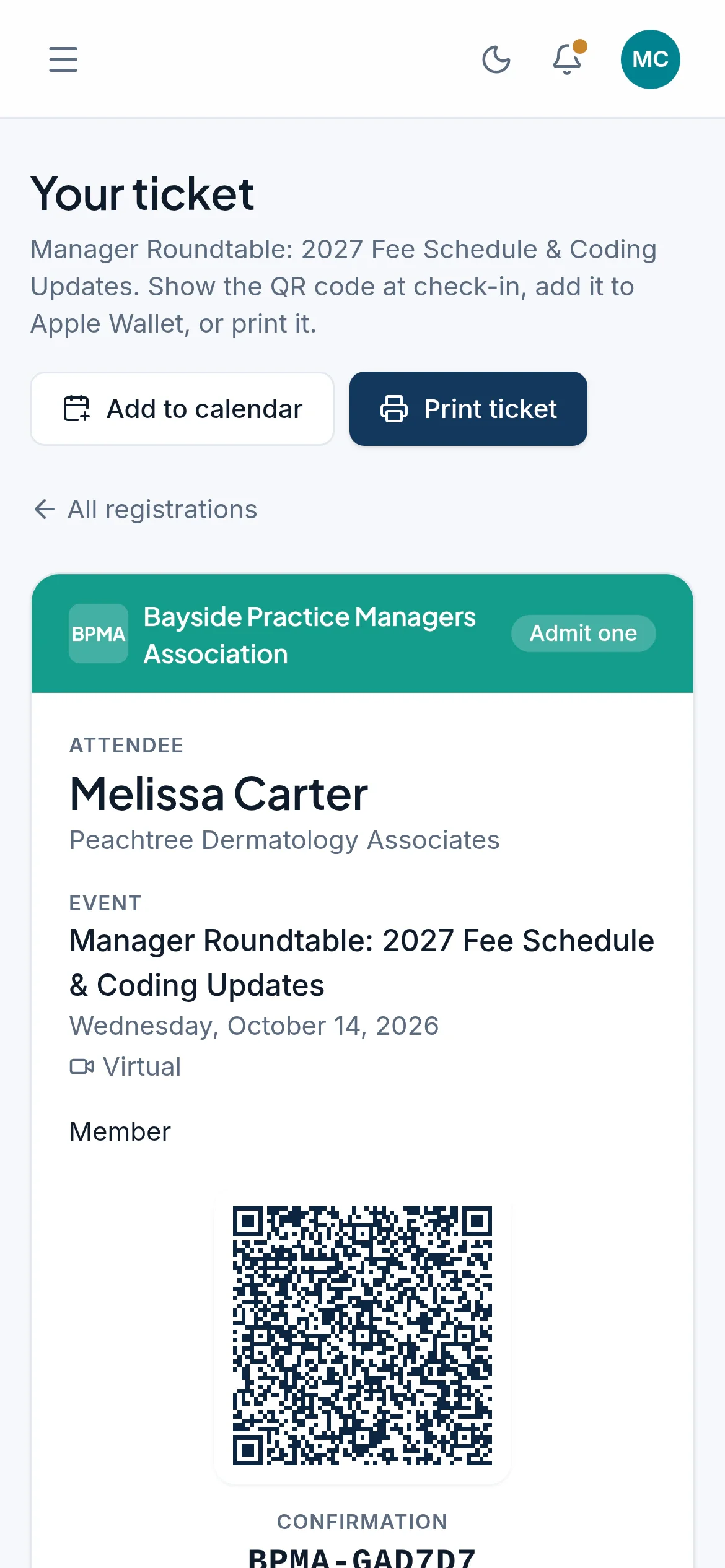
Date
Oct 14
Event
Manager Roundtable: 2027 Fee Schedule & Coding Updates
Attendee
Melissa Carter
Ticket
Member
Where
Online
Confirmation
BPMA-GAD7D7
Event tickets
Tickets your members keep on their phones
Every registration comes with a ticket members can add to Apple Wallet or print. At the door, staff scan it with the camera on a phone or tablet.
- QR codes signed by MemberCove, so a ticket can't be forged or edited
- Each ticket checks in once, and a second scan is refused
- Checking in adds the event's CE credit to the member's record
- Kiosk check-in and badge printing for bigger events
Works with the tools you already use
Payments go through Stripe, tickets go into Apple Wallet, and your website can show your events and join form. Staff and members can also connect AI assistants such as Claude and ChatGPT to their own accounts.
See integrations- Stripe
- Apple Wallet
- Your website
- JSON API
- Webhooks
- Claude
- ChatGPT
- Calendars
- CSV import
- Cloudflare
Questions associations ask us
Getting started
What do we need to get started?
A list of your members (an export from your current system or a spreadsheet is fine), your membership types and dues, and a Stripe account for payments. We set up your association's portal and database, then you invite your staff.
Can we bring our members over from another system?
Yes. Export your members to a CSV file and the import wizard shows how it will read each column before anything is saved. Members already on file are matched by email address and updated, and join dates carry over.
Does MemberCove replace our website?
No, your website stays where it is. The member portal has a web address of its own, and your site can show your events and join form through embeds or the JSON API.
How do members sign in?
With a one-time link we email them, a passkey or a password. They can also add the portal to their phone's home screen and open it like an app.
Members and payments
How do members pay their dues?
By card or ACH bank transfer through Stripe Checkout, paid into your association's own Stripe account. Staff can record checks and cash by hand, and members can save a card for auto-renew.
Can renewals run on their own?
Yes. Reminders go out on a schedule before each membership expires, auto-renew charges a saved card, and a grace period gives late payers time before a membership lapses. You can also set up a win-back series for members who lapse.
Can events have member and non-member prices?
Yes. Each event has its own ticket types, early bird pricing and promo codes. Members are recognized when they register, so they get member pricing without a code.
Do you track CE credit?
Yes. Credits are added to a member's record when they check in at an event. Members can log outside courses for staff to verify, and print their own certificates.
Data and security
Is our data kept apart from other associations?
Yes. Each association gets its own copy of MemberCove on Cloudflare, with its own database and file storage. No data is shared between associations.
Do you store card numbers?
No. Members enter card details on Stripe's checkout page, and MemberCove keeps only the record of the payment.
What if something is deleted by mistake?
The database can be restored to any minute in the last 30 days.
Can we get our data out?
Whenever you like. Members, registrations and invoices export to CSV from settings, and every report exports too.
Who can see what?
Each staff member has one of six roles: owner, admin, events, finance, communications or read-only. Owners and admins need a second step at sign-in, and the audit log records who changed what.
Have a question that isn't here?
Contact usSee how MemberCove would work for your association
We'll walk you through it with a sample association's data, starting with the parts you care about most.
Each association gets its own database